Tissue culture tracker

A tissue culture tracker for labs that need more than a generic plant tracker

This page is for operators searching specifically for a tissue culture tracker and trying to understand how Hoodflow differs from a generic plant tracker.

plant tissue culture softwaretissue culture trackersubculture trackingbatch traceability

Why it matters

The workflow stays batch-first, but it can still carry optional unique vessel tracking, timing pressure, shelf context, and action history. That makes Hoodflow useful as a tissue culture tracker without turning lab work into pure data entry.

  • Rack and section placement stay visible at a glance
  • Supports add, remove, move, acclimate, sell, postpone, and mark-subcultured actions
  • Highlights time-sensitive work in one queue
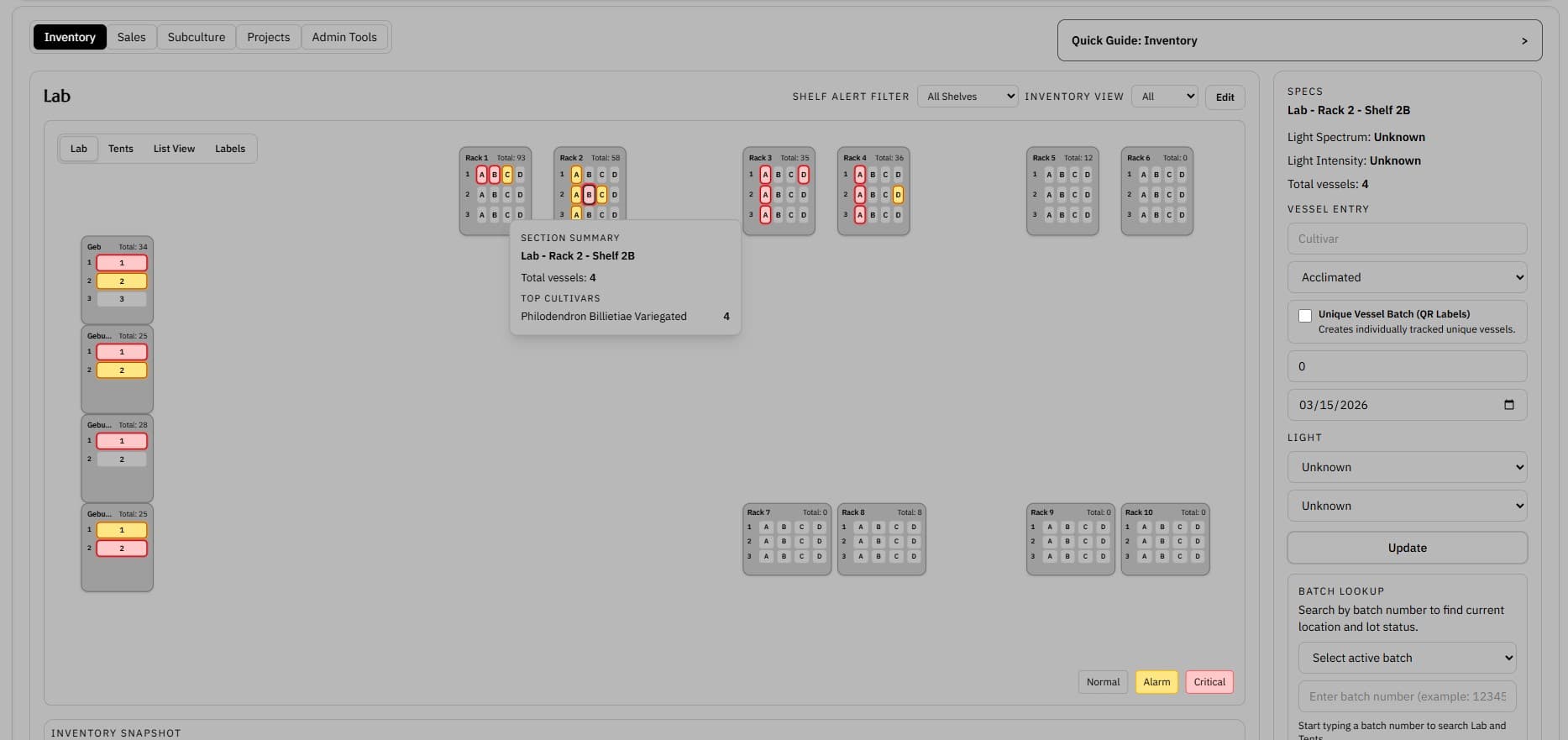
Lab layout screenshot showing rack and section placement across the inventory workspace

Lab Layout

See where batches live across the lab

A visual rack-and-section layout shows where material sits, where alerts are concentrated, and what needs attention first.

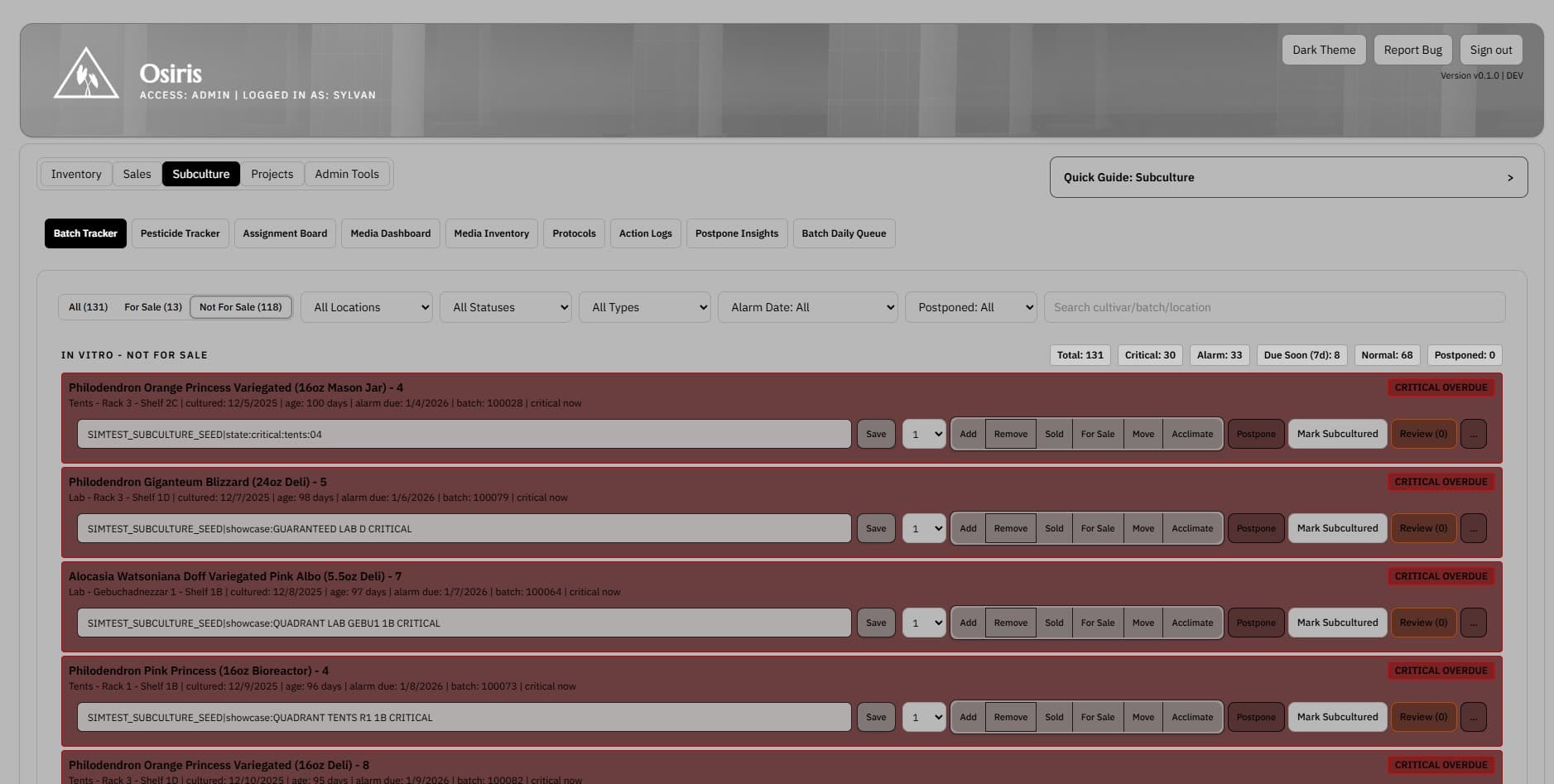
Batch tracker screenshot showing active subculture batches alarms and subculture actions

Batch Tracker

Work directly from the live batch record

The batch tracker holds location, vessel type, batch identifiers, dates, notes, status, and actions in one operating screen.

Feature proof

See how this workflow looks in the product

Lab layout screenshot showing rack and section placement across the inventory workspace

Lab Layout

See where batches live across the lab

Shelf context is operational context. The layout view makes it easier to see where batches actually live before technicians decide what to move, review, or touch next.

Batch tracker screenshot showing active subculture batches alarms and subculture actions

Batch Tracker

Work directly from the live batch record

The core record should answer what the batch is, where it lives, what changed, and what happens next without re-keying the same context in multiple places.

Alarm window screenshot showing overdue and time-sensitive batch activity

Alarm Window

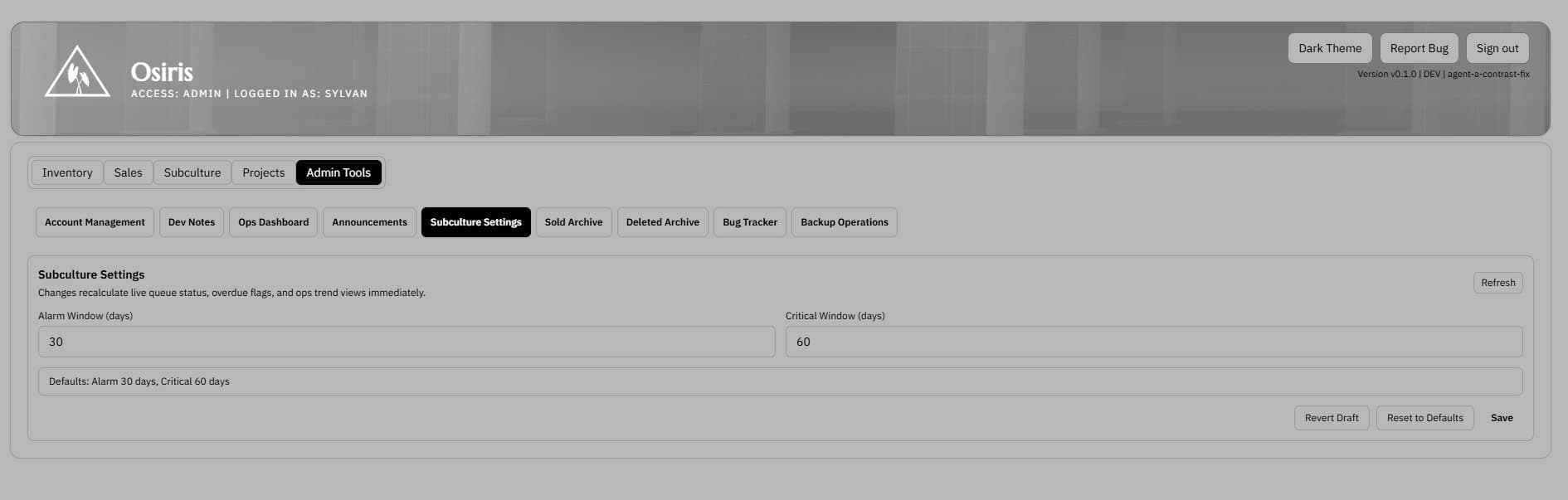
Surface overdue work before it gets buried

When timing slips, the system should show operators exactly what needs attention instead of relying on memory or a separate reminder sheet.

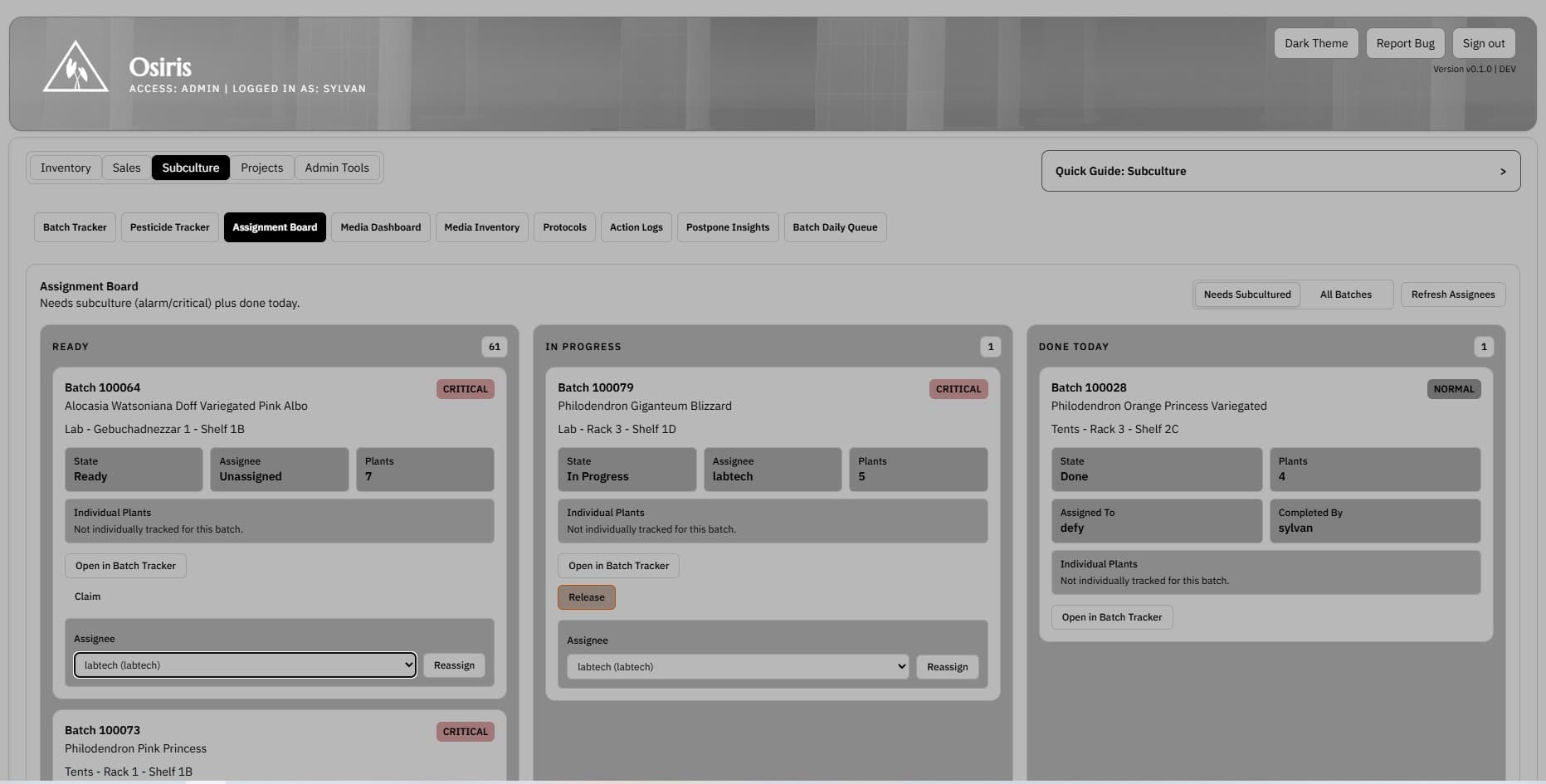
Batch assignment board screenshot showing ready in progress and completed subculture batches

Batch Assignment Board

See which batches need action next

The queue should reflect live subculture pressure, not a morning rebuild. The board view makes it easier to claim work, see what is blocked, and move batches through the day.

Keyword FAQ

Questions operators usually ask before evaluating the product

How is a tissue culture tracker different from a generic plant tracker?

A generic plant tracker usually stops at simple collection records or greenhouse inventory. A tissue culture tracker has to preserve batch identity, vessel context, subculture timing, media demand, lineage history, and lab actions as material moves from initiation through acclimation and later handoffs.

Can Hoodflow track batches, vessels, and subculture timing?

Yes. Hoodflow is batch-first by default, supports optional unique vessel tracking, and keeps shelf location, vessel type, cultured dates, subculture actions, and follow-up timing in the same record so teams can work from a live tissue culture tracker instead of rebuilding the day from notes.

Why use batch-first tracking instead of labeling every jar?

The system is built so in vitro and ex vitro inventory can stay tied to batch, shelf, section, vessel type, dates, notes, and action history without forcing an individual label onto every jar. That keeps cleaning and autoclave turnover simpler while still allowing unique vessel tracking when the workflow needs more granularity.