Traceability and protocol context

Traceability software for tissue culture labs that keeps lineage and protocol context connected

This page focuses on the reference and audit surfaces that help the lab explain what a batch is, where it came from, and what changed along the way.

Why it matters

Traceability is stronger when protocol detail, lineage shape, action history, treatment records, and project intake all inherit the same living inventory record.

  • Supports cleaner cultivar reference across teams
  • Shows parent and downstream relationships visually
  • Cultivar-specific protocol context stays attached to the method
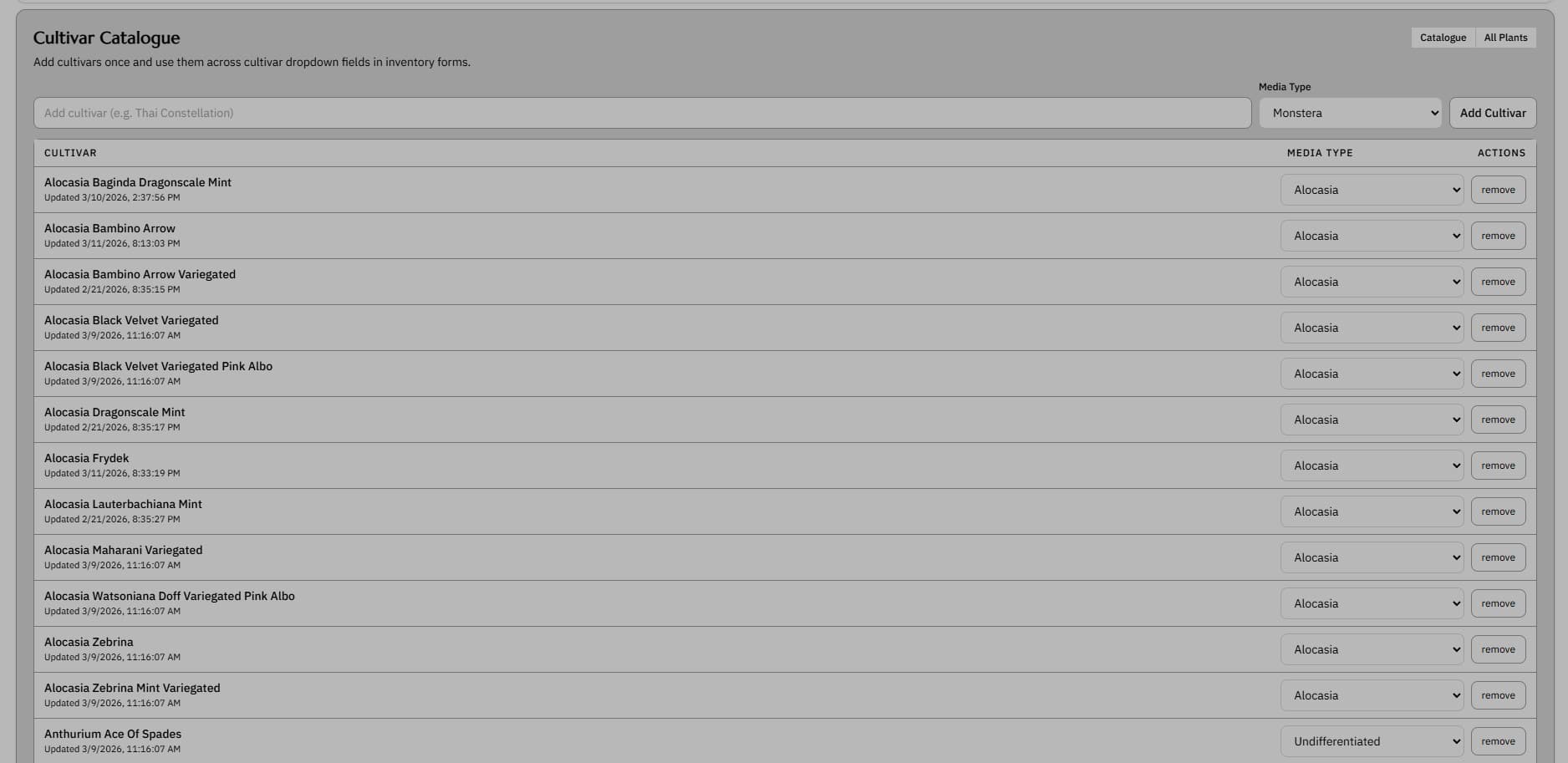
Cultivar catalogue screenshot showing indexed plant cultivars and reference details

Cultivar Catalogue

Keep cultivar context attached to operations

Cultivar-level reference screens help connect naming, category context, and operating records for the material under management.

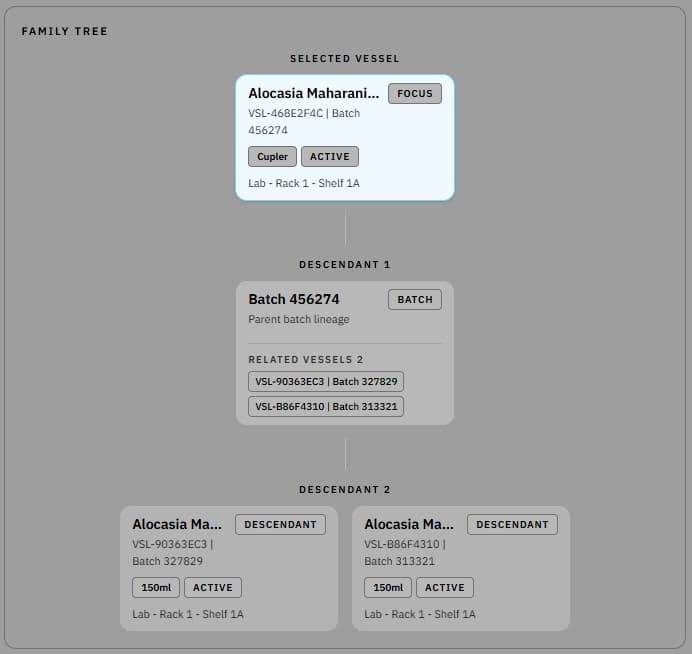
Family tree screenshot showing lineage relationships between tissue culture batches

Family Tree

Follow lineage through a family-tree view

Lineage screens visualize how batches branch, move, and relate across the propagation history.

Feature proof

See how the workflow looks in the product

Cultivar catalogue screenshot showing indexed plant cultivars and reference details

Cultivar Catalogue

Keep cultivar context attached to operations

Cultivar knowledge should not live only in memory or scattered notes. A central catalogue reduces ambiguity around what the lab is actually working on.

  • Supports cleaner cultivar reference across teams
  • Useful for browsing the material base beyond one batch
  • Helps operations and protocol context stay aligned
Family tree screenshot showing lineage relationships between tissue culture batches

Family Tree

Follow lineage through a family-tree view

Traceability is stronger when operators can see lineage shape, not just read it from a log. The family-tree view makes those relationships obvious.

  • Shows parent and downstream relationships visually
  • Useful for traceability review after multiple subcultures
  • Helps preserve context once material has branched repeatedly
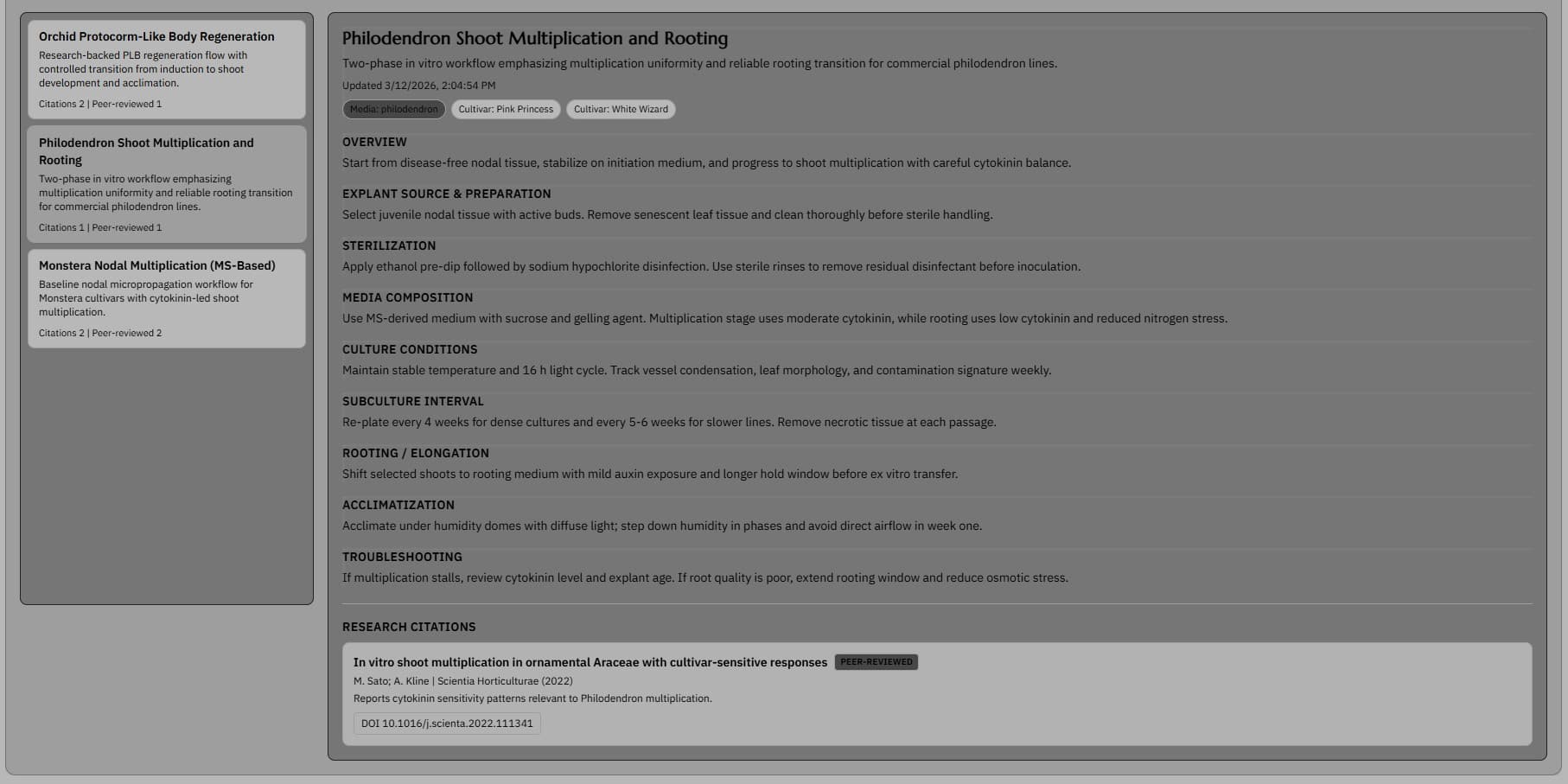
Protocol library screenshot showing a selected protocol with detailed tissue culture steps and citations

Protocol Library

Keep protocol detail inside the workflow

Protocol detail matters most when operators are already in the workflow. The reference material should not live in a separate document trail.

  • Cultivar-specific protocol context stays attached to the method
  • Sections cover sterilization, media composition, and acclimatization
  • Citations remain linked to the operating reference
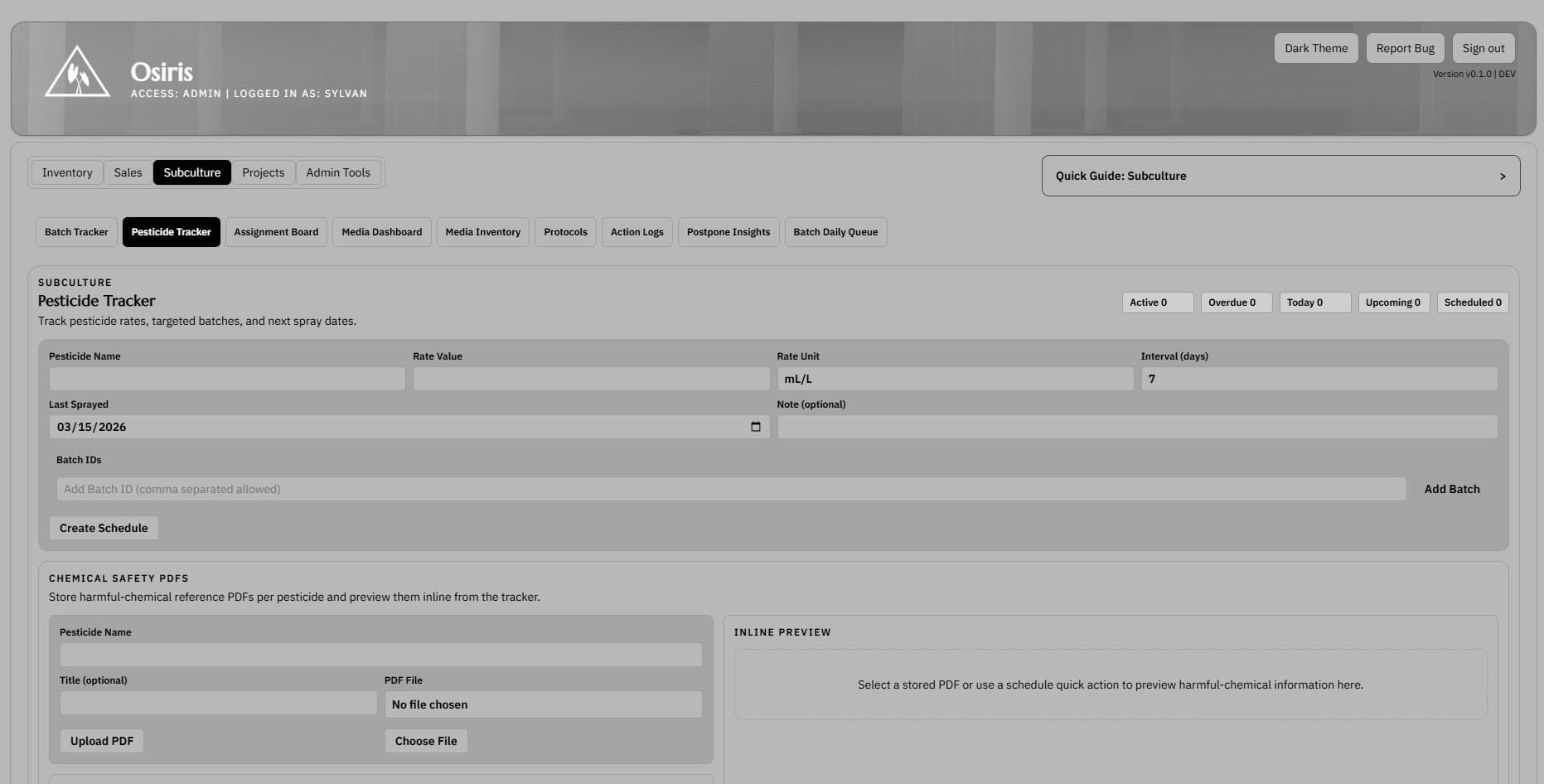
Pesticide tracker screenshot showing scheduled treatments and linked chemical safety information

Pesticide Tracker

Carry ex vitro treatment history forward

Ex vitro work still needs traceability. Treatment records should remain tied to the inventory record instead of disappearing into a separate checklist.

  • Supports pesticide scheduling and follow-up timing
  • Keeps inline chemical safety PDFs with the treatment context
  • Extends the same record beyond in vitro handling
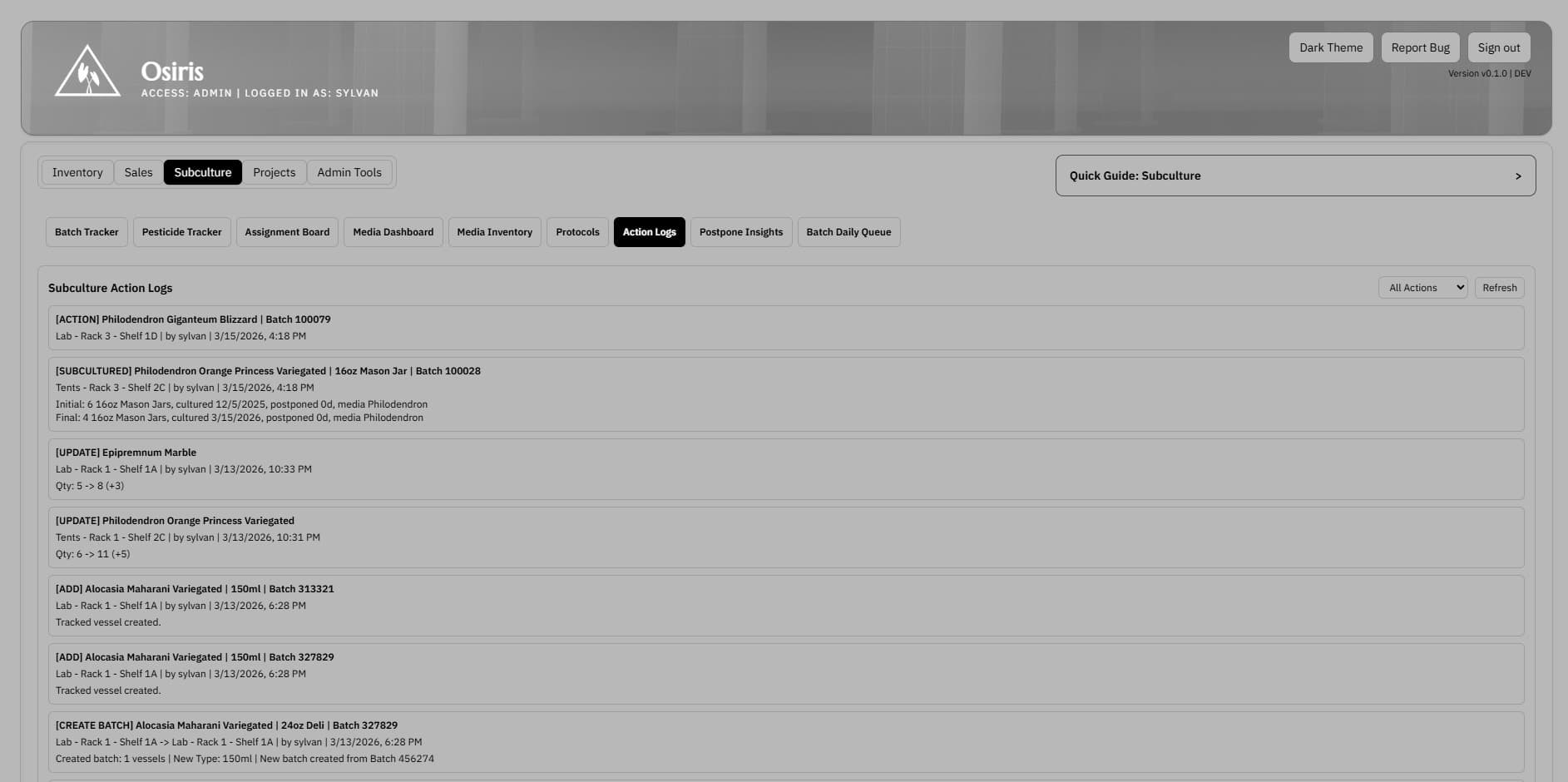
Action logs screenshot showing recent subculture events and operator history

Action Logs

Trace every batch action after the fact

If batch timing, quantity, or location is challenged later, the action history should already explain what happened without a manual reconstruction.

  • Subculture and movement history stay tied to the record
  • Actor, timestamp, and lab location remain visible
  • Useful for traceability review and discrepancy troubleshooting
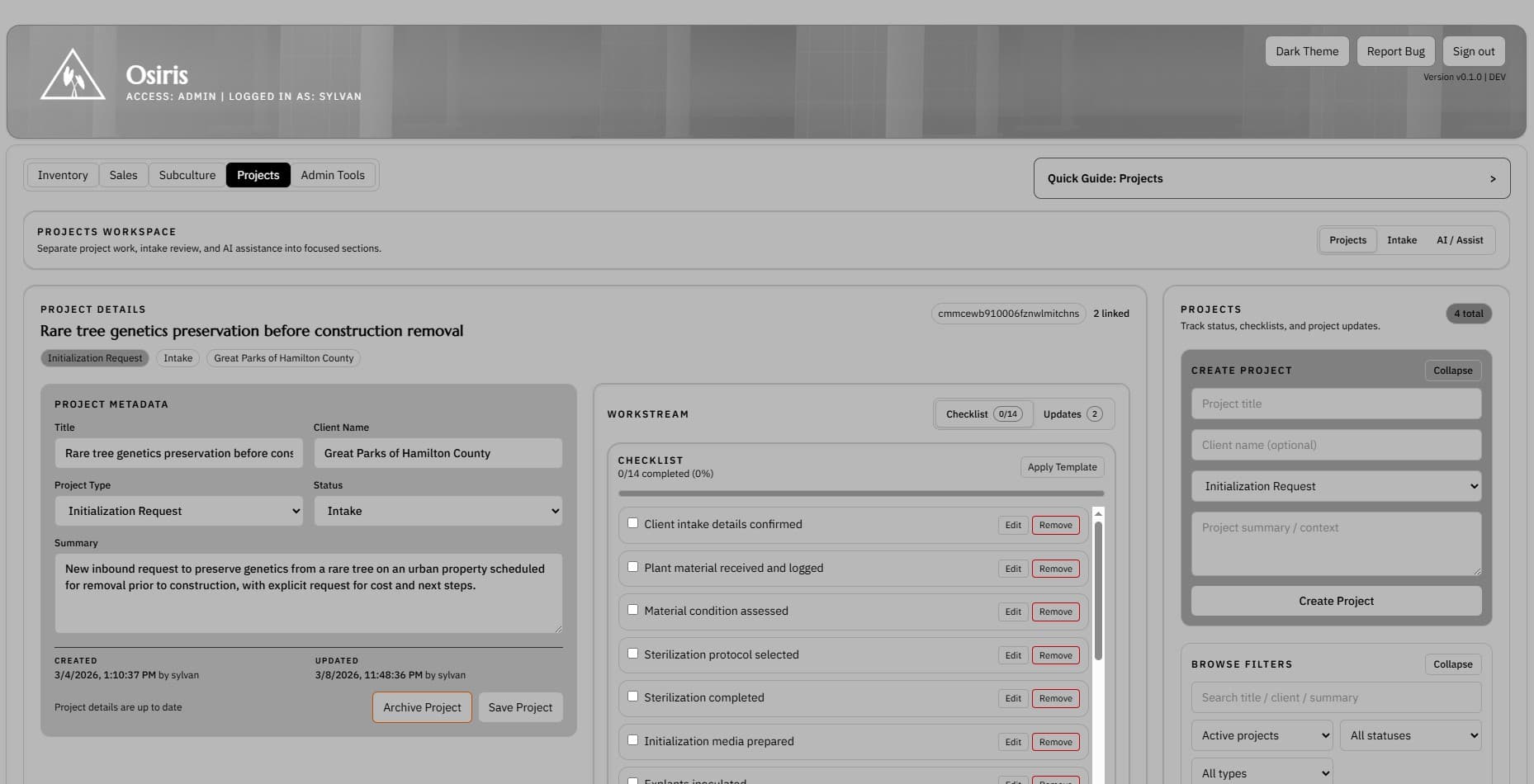
Projects intake screenshot showing project tracking fields and linked vessel context

Projects Intake

Connect live inventory to incoming projects

Project work should inherit inventory context. Intake screens make it easier to move from lab operations into client or internal project tracking.

  • Useful for project updates, checklists, and vessel linkage
  • Lets project work reference the same operating history
  • Reduces handoff loss between lab work and planning work