Media planning and vessel demand

Media planning software for tissue culture labs that starts from live vessel demand

This page concentrates on the planning surfaces that turn subculture load into prepared media and ingredient demand before prep falls behind.

Why it matters

Media planning should not happen in a separate tracker. Hoodflow keeps media types, vessel types, demand dashboards, and ingredient projections connected to the actual operating record that created the need.

  • Prepared units, storage, and expiry stay attached to the batch
  • Demand stays broken down by media class and vessel type
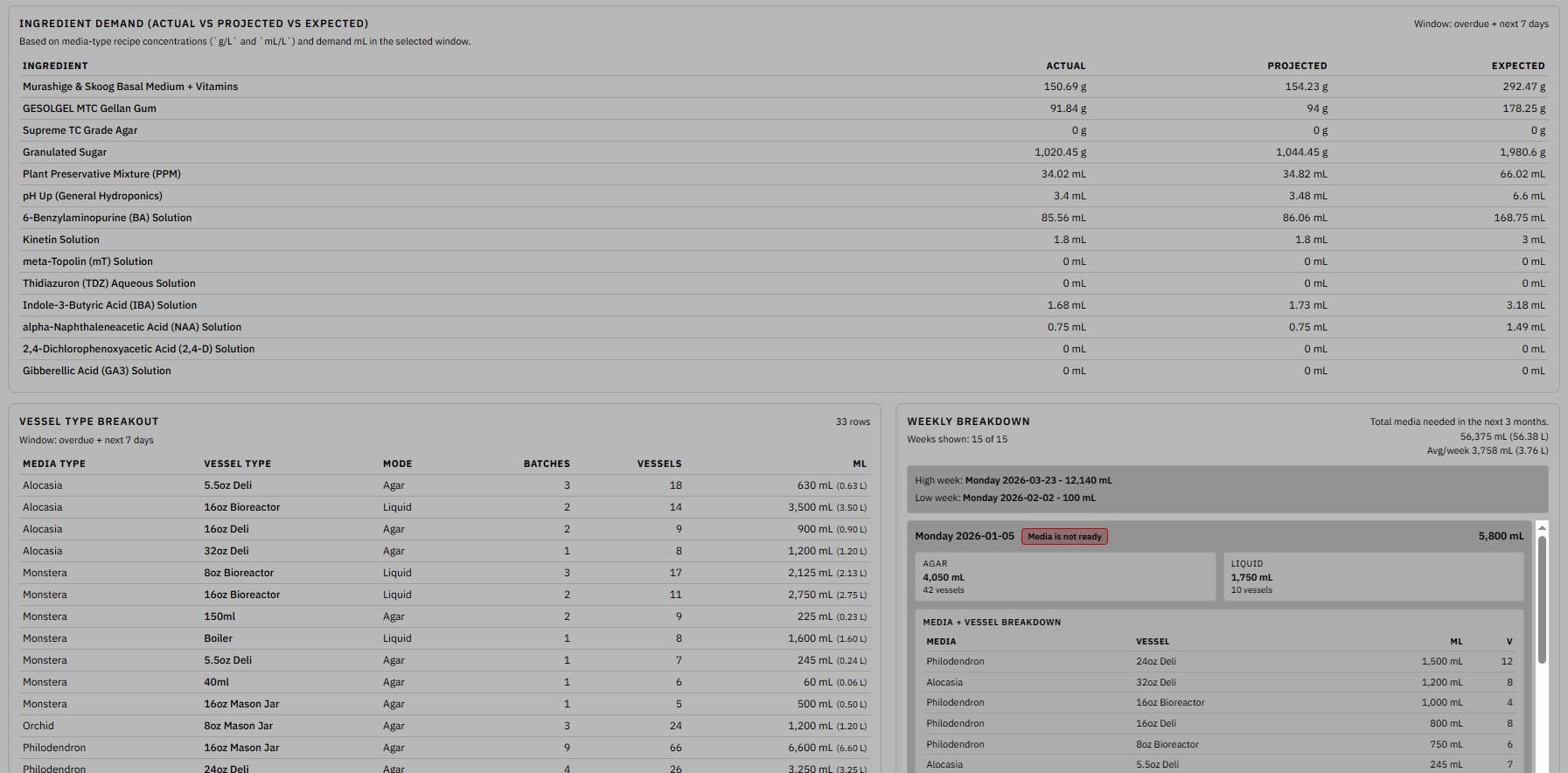
  • Shows actual, projected, and expected ingredient consumption
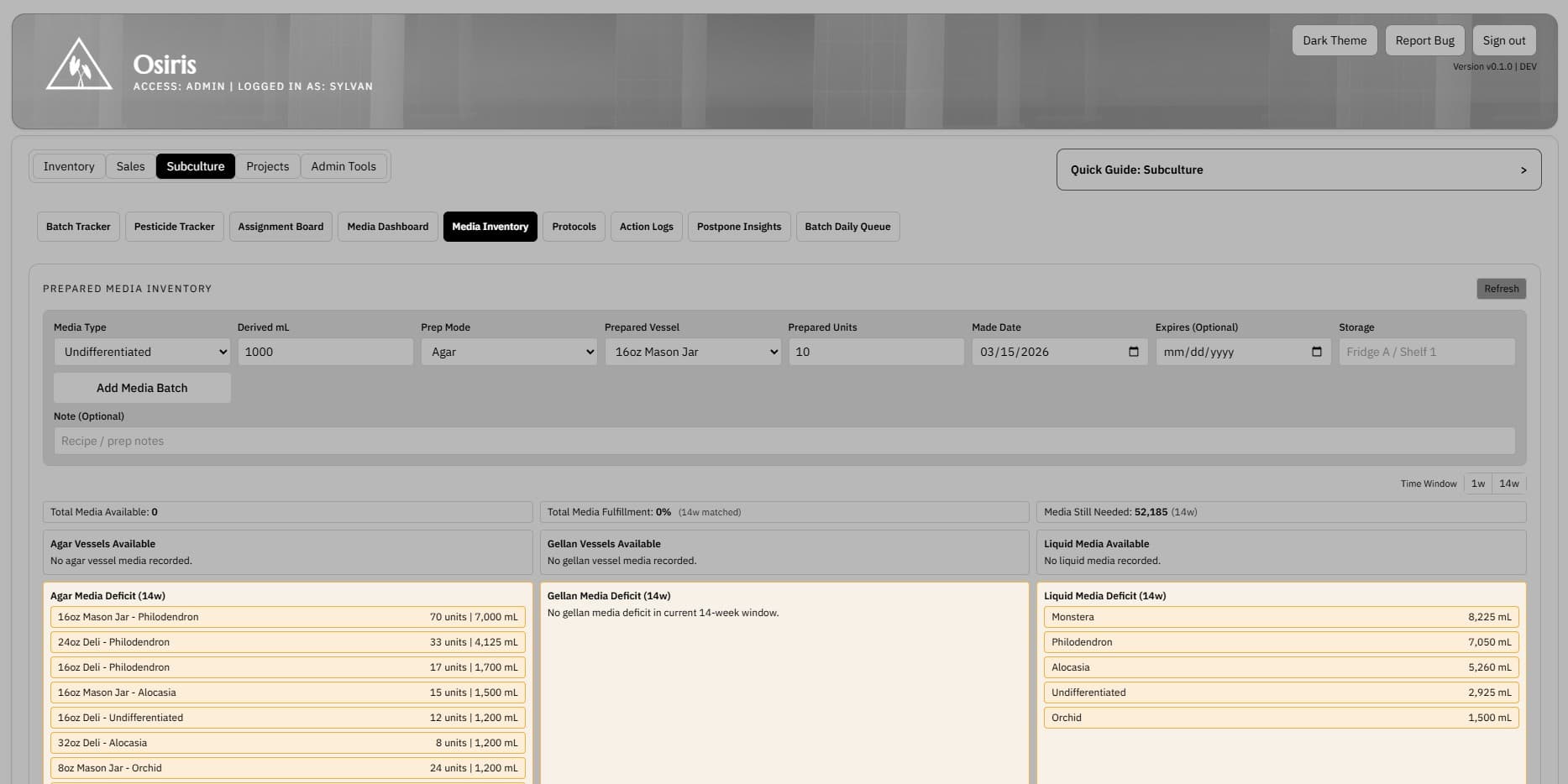
Media inventory screenshot showing prepared media inputs, weekly deficit panels, and media availability

Media Inventory

Plan prepared media from live vessels

Prepared-media inventory calculates weekly need from your active in vitro vessels and shows where upcoming deficits will land.

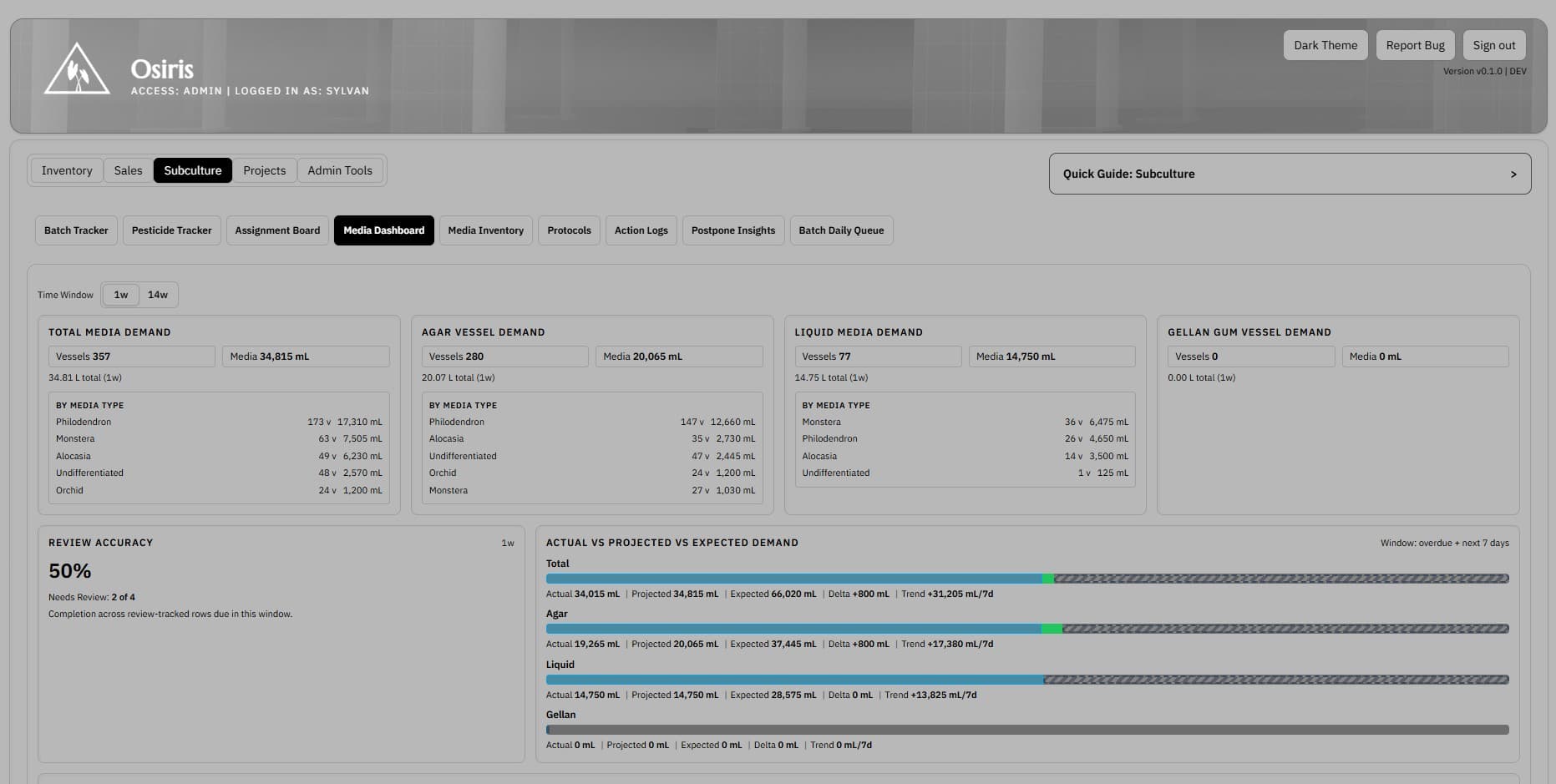
Media dashboard screenshot showing demand totals review accuracy and projected media load

Media Dashboard

Forecast media pressure before prep falls behind

Demand totals, review accuracy, and actual-versus-projected load stay visible in one forecasting screen.

Feature proof

See how the workflow looks in the product

Media inventory screenshot showing prepared media inputs, weekly deficit panels, and media availability

Media Inventory

Plan prepared media from live vessels

Media prep should be driven by live vessel counts and the pre-subculture review audit, not by last week's notes or a disconnected spreadsheet.

  • Prepared units, storage, and expiry stay attached to the batch
  • Deficits are broken down by vessel type and media class
  • Operators can add prep batches without leaving the planning view
Media dashboard screenshot showing demand totals review accuracy and projected media load

Media Dashboard

Forecast media pressure before prep falls behind

The dashboard should show what is due, what is projected next, and where review assumptions are weak before the prep bottleneck turns into postponed work.

  • Demand stays broken down by media class and vessel type
  • Review accuracy exposes incomplete pre-subculture audits
  • Actual versus projected load stays visible in the same view
Ingredient demand screenshot showing recipe components actual projected and expected usage

Ingredient Demand

Check ingredient demand before prep starts

Weekly media totals are not enough if ingredient shortages show up late. The ingredient view makes recipe-level demand visible before prep begins.

  • Shows actual, projected, and expected ingredient consumption
  • Useful for planning chemical and stock-solution replenishment
  • Keeps recipe assumptions tied to the same demand model
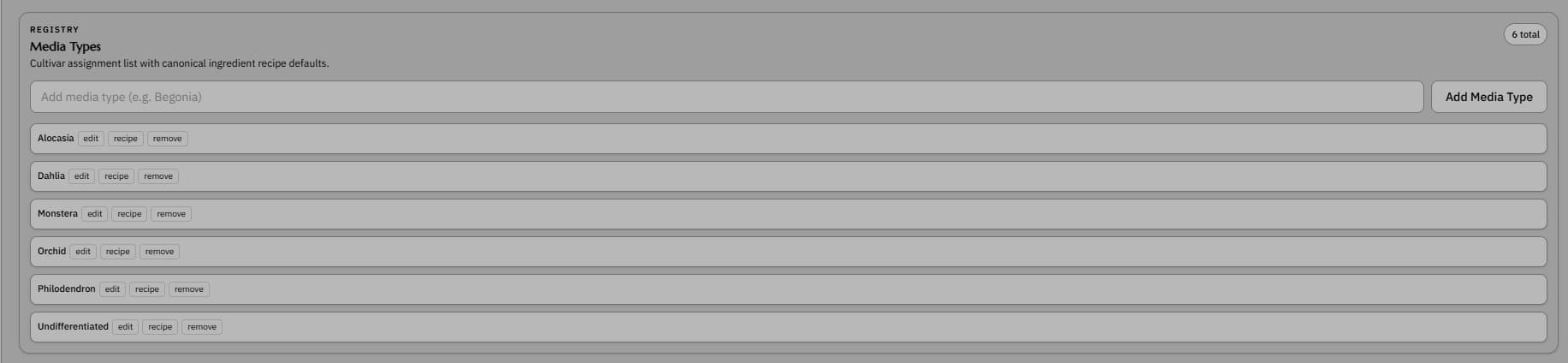
Media types screenshot showing configured media definitions and categories

Media Types

Standardize media definitions across the lab

Media planning breaks down quickly when naming and recipe structure drift. A defined media catalogue keeps planning and prep aligned.

  • Keeps media classes organized in one place
  • Supports more consistent planning and reporting
  • Reduces ad hoc naming across operators and benches
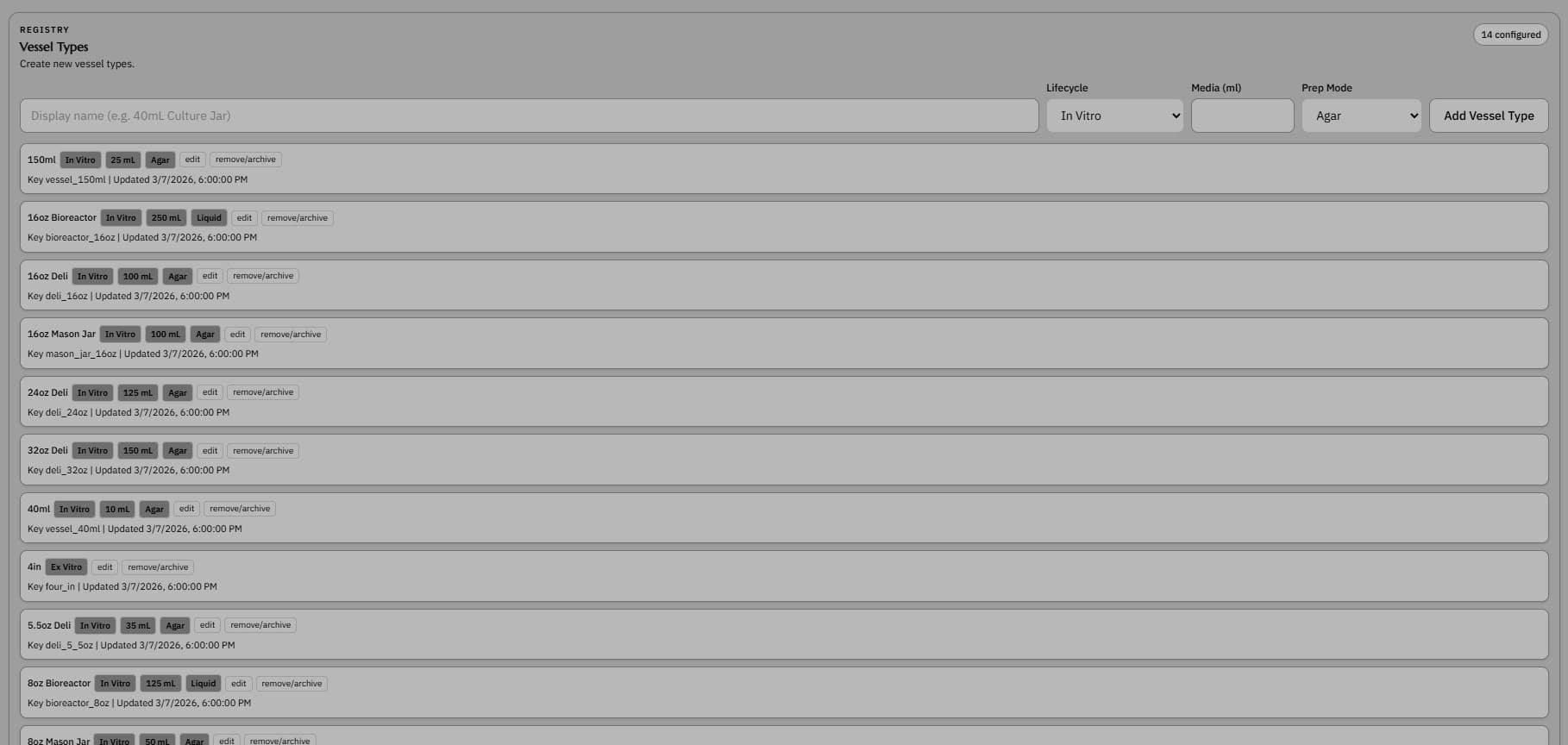
Vessel types screenshot showing configured vessel formats used in tissue culture tracking

Vessel Types

Define the vessel formats the workflow depends on

Subculture and prep logic depend on vessel format. The system should know the jars, deli containers, and other vessel types that shape the workflow.

  • Supports planning by vessel size and format
  • Keeps inventory and media views tied to real containers
  • Useful when subculture changes both vessel type and media type